Certification

ESPRIT - New User Milling for ESPRIT TNG Certification

  • 0 mins
  • 6 Courses
  • 722 Enrolled
  • 4.0/5.0

Overview

What are Certifications?

Learning Paths are curated sequences of courses designed to guide learners through a focused learning journey. By grouping related courses, certifications, and modules, our Learning Paths help students build skills systematically. Whether you're advancing your career, exploring a new field, or mastering a specific topic, our Learning Paths provide a clear and engaging pathway to success.

  • Structured learning

    A clear, ordered route through related courses.

  • Industry recognition

    Earn a certificate when you complete the path.

  • Track progress

    See where you are and what's next at any time.

Description

Your purchase grants you a 3-month subscription to the course material for one person and includes an ESPRIT student license. To get your ESPRIT Student License, send an email to esprit.learning@hexagon.com.  Content is developed for ESPRIT TNG R4.5 and later.
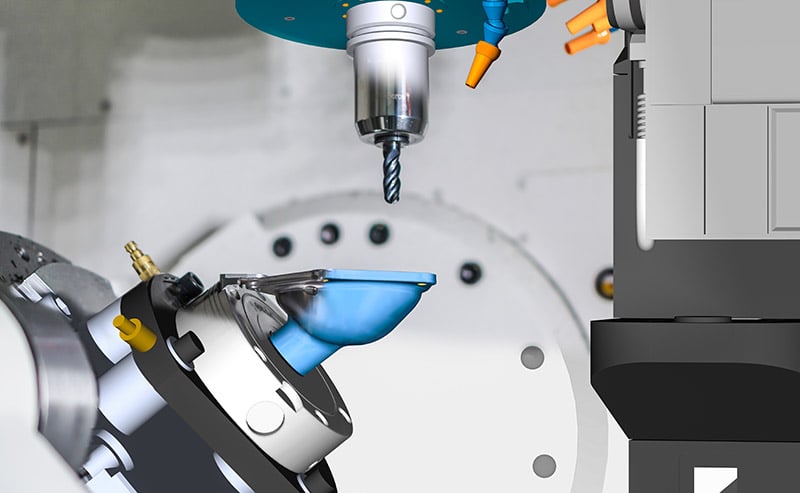
This learning pathis designed to show you how to program milling machines in ESPRIT. Start with a 3-axis, single part setup on a vertical mill, and workthrough production milling, full-4th axis rotary milling, and positional 3+2 milling. You'll also learn how to create machine components, such as tool holders and fixtures.

Prerequisites

No prerequisites are required for this certification.

Courses

1

ESPRIT - Introduction


Become familiar with the ESPRIT interface and different areas within the software. 

At the end of this course, you will know about: 


- Opening pre-programmed pack and saving files. 

- The ESPRIT Ribbon and toolbars. 

- The ESPRIT programming/machining environment. 

- Working within ESPRIT. 

- ESPRIT programming philosophy.


NOTE:  This Course is only available with the ESPRIT - New User Milling for ESPRIT TNG Certification.

  • 0 mins
  • 7 Lessons
  • eLearning
2

ESPRIT - Single Part Setup on a 3-Axis Vertical Mill


In this course, you will learn how to set up and program a single part setup on a 3-axis vertical mill. 

- Upon completion of this course, you will know about: 
- Importing and orienting a CAD model. 
- Defining the part and the workpiece.
- Generating features. 
- Creating operations. 
- Simulating to verify the program. 
- Posting collision-free G-code. 


To get the most out of this course, we recommend that have taken these courses: 

- Introduction to ESPRIT

NOTE:  This Course is only available with the ESPRIT - New User Milling for ESPRIT TNG Certification.

  • 0 mins
  • 18 Lessons
  • eLearning
3

ESPRIT - Multiple Part Setup on a 4-Axis Horizontal Mill

In this course, you will learn how to program multiple parts on a 3-axis mill and then swap to a 4-axis horizontal machine. 


At the end of this course, you will know about: 

  • Creating a milling tool adapter from a drawing file. 
  • Using extended work offsets. 
  • Changing from a 3-Axis mill to a horizontal mill. 
  • Loading workpieces onto a tombstone. 
  • Modifying Workplanes. 
  • Saving and loading (.prc) process files. 
  • Using collision detection. 
  • NC Code & Report Generator.

NOTE:  This Course is only available with the ESPRIT - New User Milling for ESPRIT TNG Certification.

  • 0 mins
  • 17 Lessons
  • eLearning
4

ESPRIT - Building and Using GDML Machine Components for Mills

In this course, you will learn how to create tools, adaptive items, fixtures, and a vise. Then, you will use the components you created to program a complete part. 


At the end of this course, you will know about: 

  • Creating Milling Holder adapters. 
  • Creating a Milling Holder Extension adapter. 
  • Creating a Shell Mill Holder Adapter. 
  • Creating a Tombstone Fixture. 
  • Creating a Vise Fixture with Movable jaws. 
  • Saving a Template. 
  • Thread Milling. 
  • NC Code & Report Generator. 

To get the most out of this course, We recommend that you take these courses first: 

  • Introduction to ESPRIT. 
  • Single Part Setup on a 3-Axis Vertical Mill.
  • Multiple Part Setup on a 4-Axis Horizontal Mill

NOTE:  This Course is only available with the ESPRIT - New User Milling for ESPRIT TNG Certification.

  • 0 mins
  • 20 Lessons
  • eLearning
5

ESPRIT - Milling on a Vertical Mill with a 4th-Axis Rotary Table

This course introduces you to mounting a rotary table on a milling machine. You will program a part on a 4th-axis rotary mounted onto a vertical mill. Some toolpaths will include wrap milling and engraving a print onto an outside diameter. 


At the end of this course, you will know about: 

  • Mounting multiple rotary tables/fixtures. 
  • Creating features for wrap milling. 
  • Activating rotary machining when available. 
  • Engraving a print onto an OD. 


To get the most out of this course, we recommend that you take these courses: 

  • Introduction to ESPRIT. 
  • Single Part Setup on a 3-Axis Vertical Mill. 
  • Multiple Part Setup on a 4-Axis Horizontal Mill. 
  • Building and Using GDML Machine Components for Mills.

NOTE:  This Course is only available with the ESPRIT - New User Milling for ESPRIT TNG Certification.

  • 0 mins
  • 16 Lessons
  • eLearning
6

ESPRIT - 3+2 Milling on a 5-Axis Vertical Mill

This course will introduce you to 5-axis index milling, also known as 3+2 positional milling. 


At the end of this course, you will know about: 

  • Creating features. 
  • Processing parts correctly from multiple angles. 
  • Reviewing work offset transformations. 
  • Simulating collision-free. 
  • Milling on a Vertical Mill with a 4th-Axis Rotary Table. 


To get the most out of this course, we recommend that you take these courses: 
  • Introduction to ESPRIT. 
  • Single Part Setup on a 3-Axis Vertical Mill. 
  • Multiple Part Setup on a 4-Axis Horizontal Mill. 
  • Building and Using GDML Machine Components for Mills.

NOTE:  This Course is only available with the ESPRIT - New User Milling for ESPRIT TNG Certification.

  • 0 mins
  • 17 Lessons
  • eLearning

No resources available for this course yet.

Price $699 699$ 699£ 699€ 60000₹‎
  • 3 months access
  • Certificate upon completion
  • Hands-on projects
  • 3 months Student license
Sign in to register →