Learning Path

DESIGNER - Level 2 Professional Certification

  • 560 mins
  • 6 Courses
  • 1 Enrolled

Overview

What are Learning Paths?

Learning Paths are collections of courses to help achieve career goals. Each path includes training modules, projects, and assessments for expertise.

  • Structured learning

    Courses organized in optimal sequence

  • Industry recognition

    Earn professional certifications

  • Track progress

    Monitor your advancement

Description

Welcome to the DESIGNER Professional Learning Path Certification  

  • This certification is designed for professionals seeking to deepen their expertise in DESIGNER with a focus on core tasks, advanced manufacturing, process optimisation, advanced product expertise, and efficiency.  
  • This certification is intended for experienced professionals who are familiar with basic DESIGNER operations and are looking to advance their skills in manufacturing and process optimisation.  

Prerequisites  

  • Completion of DESIGNER Associate Certification.  
  • Basic understanding of manufacturing processes and technology.  

Certification Objectives  

  • Master core functionalities and tools within DESIGNER.  
  • Optimise manufacturing processes for increased efficiency.  
  • Gain advanced knowledge of DESIGNER products and their application.  
  • Apply strategies for continuous improvement and optimisation.  

Certification Structure  

  • The certification is divided into several modules and one exam, each focusing on different aspects of the DESIGNER platform.

Courses

1

DESIGNER - Complex Part

In this course, you will learn how to program a complex part in DESIGNER.

By the end of this course, you will understand working on:

- Pump Top

- Revolved Part

- Plant Pot

  • 2h 20m
  • 3 Lessons
  • Elearning
2

DESIGNER - Wireframe

In this course, you will learn how wireframe works in Designer

 By the end of this course, you will understand working on:

 - Wireframe – Flat Plate

- Wireframe from Solid

  • 2h
  • 2 Lessons
  • Elearning
  • Complete previous courses to unlock
3

DESIGNER - 2D Drawings and Automation

In this course, you will learn how to create 2D Drawings.

By the end of this course, you will understand working on: 

- 2D Drawing Manager

- Create Views

- Create Annotations to Dimension

  • 2h
  • 2 Lessons
  • Elearning
  • Complete previous courses to unlock
4

DESIGNER - Sheet Metal - Beginner Training

Version - 2024.2  

Follow this beginners course on DESIGNER – Sheet Metal, this course will take you through the basic workflow in the Sheet Metal module and show you how to process imported parts, modify parts and create new parts and prepare them for manufacturing.
  • 1h
  • 1 Lessons
  • Elearning
  • Complete previous courses to unlock
5

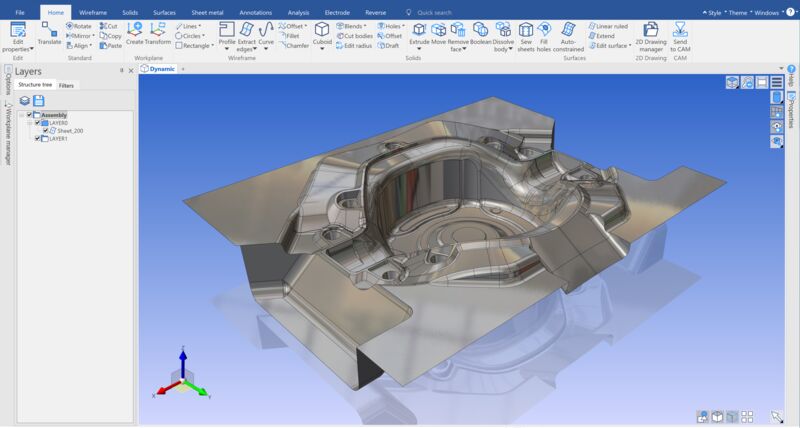
DESIGNER - Electrode

In this course, you will learn to create Electrode in Designer.

 By the end of this course you will be able to:

 - Create Electrode – custom Stock size

- lock electrode’s shading control
  • 1h
  • 1 Lessons
  • Elearning
  • Complete previous courses to unlock
6

DESIGNER - Professional-Level Certification Exam

  • 1h
  • 1 Lessons
  • Elearning
  • Complete previous courses to unlock

Resources

DESIGNER - Level 2 Professional Certification
  • 24 months access
  • Hexagon-approved badge & certification
  • Hands-on projects included
  • Expert instructor support
Price
Sign in to register →
