We are currently aware of an issue impacting the availability of Nexus and are actively working to resolve it as a top priority. Our teams are fully engaged in restoring service as quickly as possible, and we apologise for the inconvenience this disruption may be causing.

Smarter segmentation for automated NDE workflows
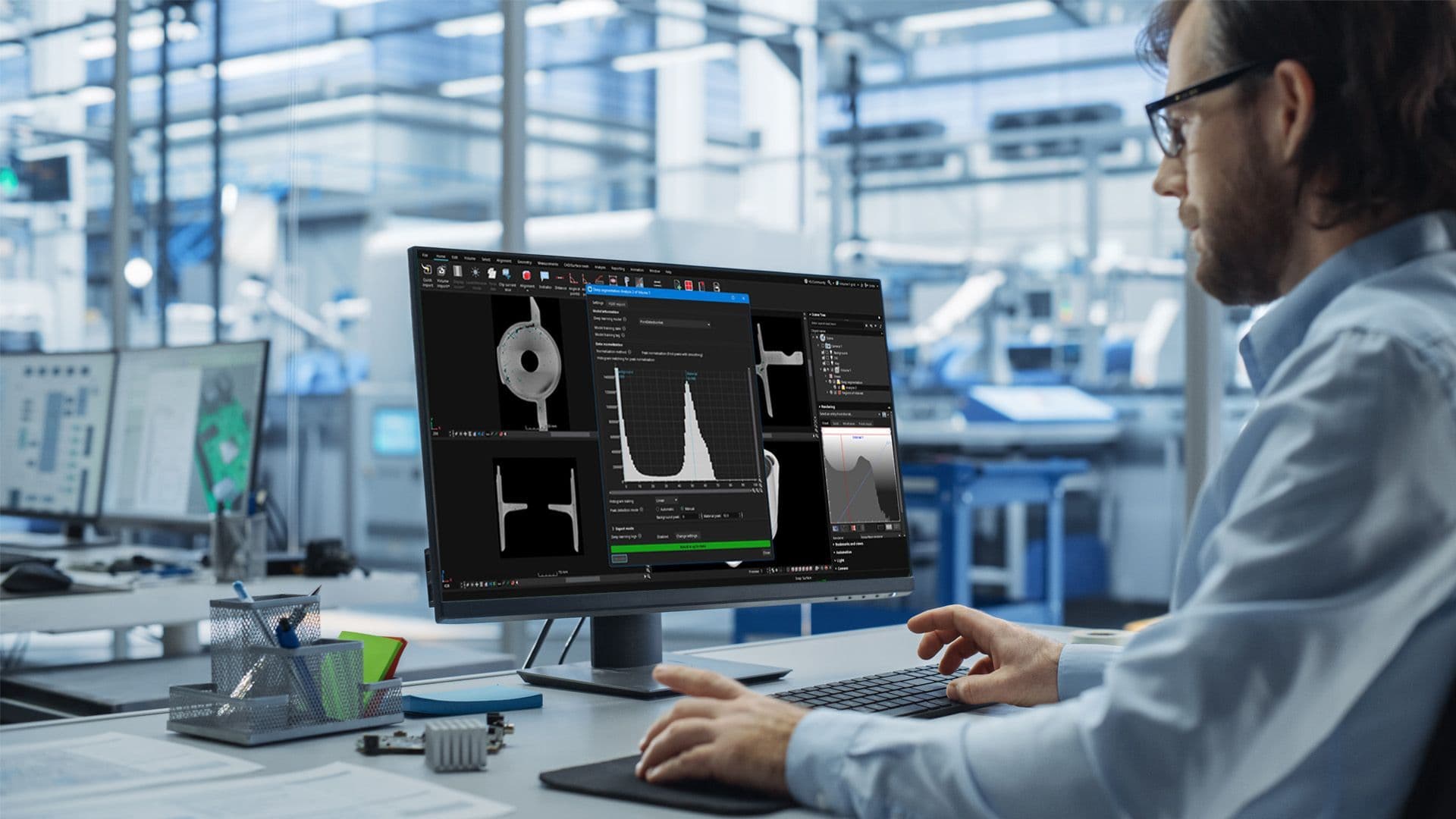
VGSTUDIO MAX has always offered powerful tools for segmentation. But when handling large volumes of similar datasets or working with lower-quality scans in inline environments, AI can accelerate the process, helping you maintain the high quality you expect from manual inspection while significantly increasing efficiency. VGTRAINER puts the power of AI into your hands, enabling you to train segmentation models for use in your inspection workflows with unmatched speed and precision—without requiring AI expertise.
Benefits And Features
Achieve precise data segmentation at scale with DIY AI-model training

Empower your segmentation with no-code, deep-learning model training
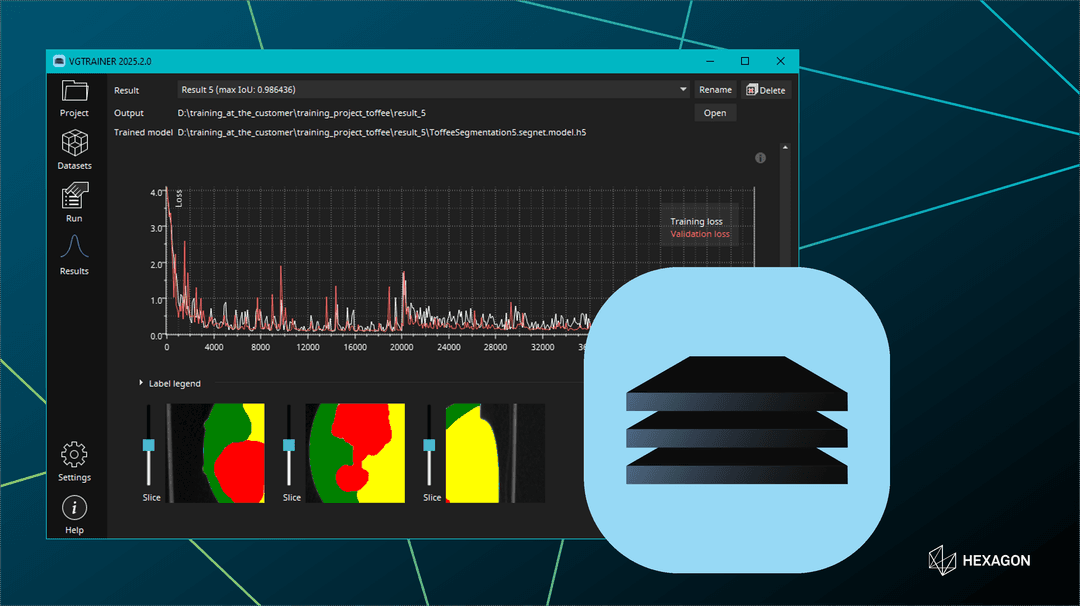
VGTRAINER allows you to create powerful AI-driven segmentation models without any programming or AI expertise. Simply upload your labeled training datasets, and the software will handle the rest, enabling you to develop effective models and iterate as needed to enhance accuracy.

Achieve precise segmentation in high-throughput environments
Designed for accuracy and repeatability, VGTRAINER supports fast segmentation, ensuring precise and repeatable results. Whether you're working with batteries, medical scans, or composite materials, VGTRAINER provides the tools to confidently build and refine models in a secure, on-premise environment.

Seamless integration for automated workflows
Models created with VGTRAINER are fully compatible with VG's Deep Segmentation module, which allows you to import and automate your AI models effortlessly in VGSTUDIO MAX and VGinLINE. This integration supports reliable segmentation even in challenging inline scenarios, enhancing your ability to make data-driven decisions across both R&D and automated production lines.
What's New
VG software 2025.4 is here
What’s New in VG software 2025.4
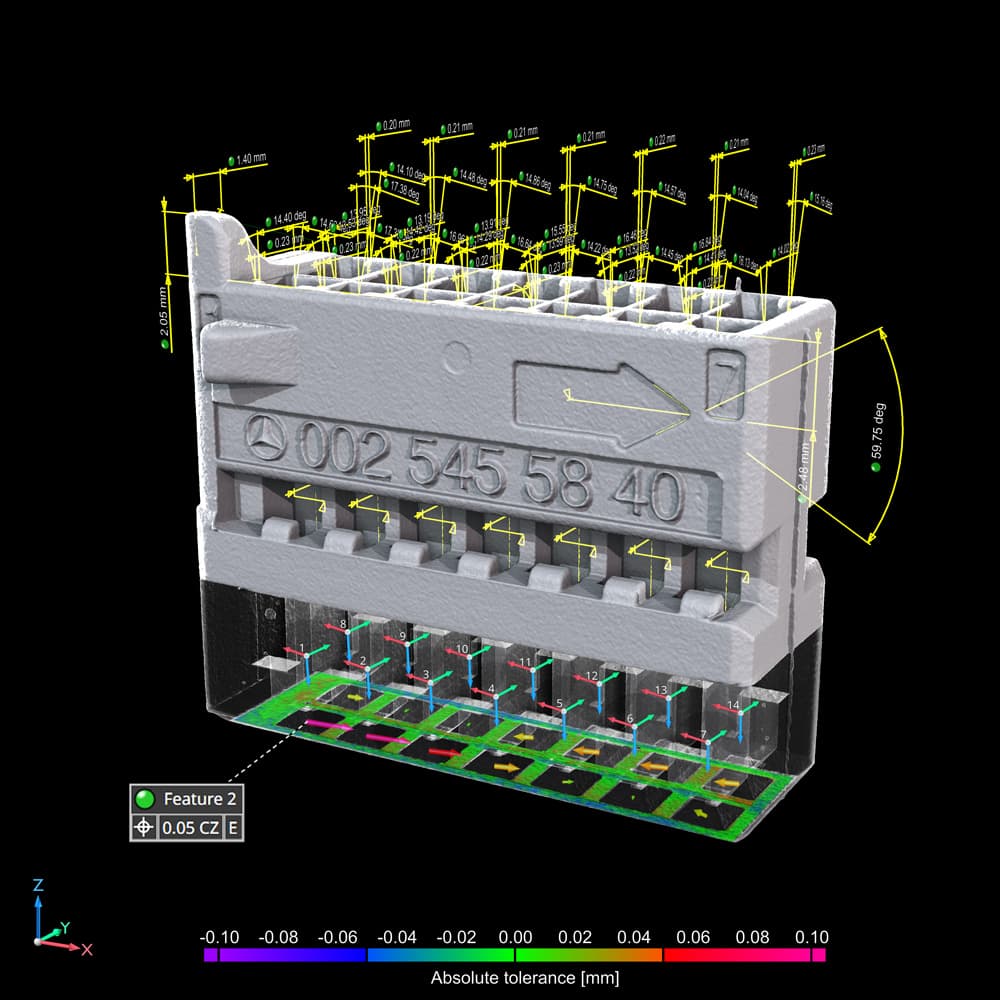
With version 2025.4 our software receives a number of new features and performance improvements to ease your daily work: After the recent redesign for the user-interface of the porosity/inclusion analysis, now there have been according to reworks for the wall thickness analyses in our software as well. Speaking of our porosity/inclusion analysis: There are now further customizable options available for the tolerancing and a new automatic "Threshold mode" has been added for the "Global threshold" approach that makes the analysis take into account the histogram of your current scan.
The new "Quick alignment" option gives an additional approach for performing your alignments that also works if the object you want to align covers only part of your reference object, or vice versa.
Furthermore, you can now add helpful descriptions to your views and the performance of the VGTRAINER has been improved to speed up the training of your segmentation models.
Training and Resources
Connect and collaborate with your peers and experts
The Nexus Community provides you with excellent peer forums and the opportunity to learn from thousands of others in your industry. Currently, hundreds of peer forums waiting for you to explore into. Discover best practices and get the answers you need to succeed. Register for Nexus to get full access the Community forums.
Our team is ready to help
Our technical support teams are on hand to answer your questions. Contact us through our online form and we will get right back to you.
You might be interested in...
Related products
© 2026 Hexagon AB and/or its subsidiaries
Take advantage of various learning opportunities
Visit the Nexus Academy Catalog for a complete list of educational content. You can enroll for training, complete self-paced courses, register for distance learning, classroom instruction, live training events, and download or print your completion certificate.

Dive into our documentation to explore the full potential of our product offerings
Your ultimate resource for practical guidance and support. Here you’ll find a wealth of step-by-step how-to guides, detailed tutorials, and handy tips and tricks. Whether you’re troubleshooting an issue or looking for ways to optimize your use of our products, our Documentation Center provides clear and concise information to help you get the most out of your experience.

Expand your knowledge
Our Knowledge Base is your go-to hub for in-depth insights and valuable information. Explore a rich collection of articles and detailed white papers crafted to provide you with the knowledge you need to excel. From industry trends to expert analyses, our Knowledge Base is designed to keep you informed and empowered with the latest and most relevant content.

Downloads are only available on the desktop version. Please access our site from a desktop to download.
Get the most out of our resources.
For the latest updates, resources, and software, please visit our Download Center
Click the link to access the files you need today